How to Arrange Cross Stitch Lettering
Arrange the complete name or phrase before stitching the first letter. In the cross stitch text generator, type the whole message, choose a stitch font and check the finished width while you adjust spacing.
Choose the letter size in stitches
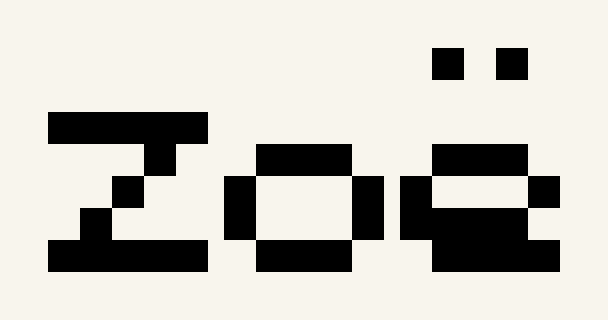
Compact Block is a small pixel alphabet; Classic and Serif have separate bitmap glyphs and a shared baseline within each font. A 2× scale uses twice as many stitches in each direction as 1×. Accents and descending letters can extend the letter height, so use the measured chart dimensions rather than guessing from the font name.
Center a name and date
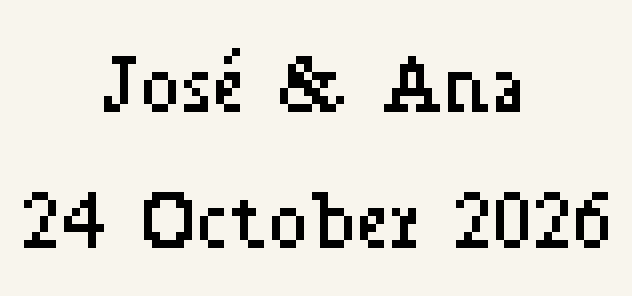
Try José & Ana on the first line and 24 October 2026 on the second. Select centered alignment and adjust the line gap. The preview centers each line independently and reports its width. Keep the accents: removing them changes the name.
Wrap a phrase for a bookmark
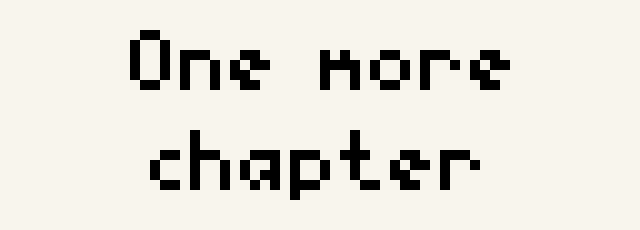
Enable the fixed-width option and try 64 stitches. Words move to the next line when they no longer fit. A single word wider than the available space produces a specific message. Reduce letter scale, increase width or add a deliberate line break; no letters are clipped silently.
Separate stitch spacing from fabric margins
Letter gaps, space width, line gaps and the empty border are measured in stitch squares. The extra fabric margin is a physical cutting allowance outside the chart. On 14-count over 1, 14 stitch squares measure one inch. On 28-count over 2, they also measure one inch.
Edit without losing the original layout
Open the lettering in the editor to add or erase stitches. The project keeps the text and font settings. If you regenerate after manual edits, a new copy preserves the edited version. Export a project file as well as the PDF when you want to return later.
Print and check the symbols
Choose color and symbols or black-and-white symbols. Keep the DMC key with the chart and follow the numbered detail pages. Your blank background is unstitched fabric, even when the preview fabric is a different color.
Lettering layout questions
How do I calculate the width of cross stitch lettering?
The generator measures the actual bitmap letters, scale, gaps and empty border. Divide chart width by stitches per inch to get finished inches. For over 2, multiply by 2 before dividing by fabric count.
Can I keep accented letters in a name?
Yes, when the selected font supports them. The tool lists each font’s characters and reports unsupported ones. Accents are not silently removed from the chart.